Managing on-premises Windows Server licenses in the cloud is complex. Tags and logs help in some cases, but they are not reliable for license tracking at scale. A dedicated tracking tool provides a clear, centralized view of your licensing position and helps ensure Azure Hybrid Benefit entitlements are used correctly and efficiently.
Azure treats any VM with fewer than 8 cores as an 8-core machine for licensing. Applying a license to a 2-core or 4-core VM still consumes 8 cores. To avoid waste, assign licenses to VMs with 8 cores or more first.
Azure provides strong tracking for SQL licenses, but not for Windows Server licenses. Ryan Lowell created an Azure Workbook that fills this gap, allowing you to visualize and track Windows Server licenses. It can be deployed and customized to fit your needs.
I customized this workbook to track AHB core license entitlements against AHB cores in use. After deployment, replace the JSON file in the bottom Edit section to enable this view. You must manually enter your total AHB core license entitlement, which may take time to determine in large enterprise environments. The workbook then calculates AHB core usage and shows your current AHB assignment status.
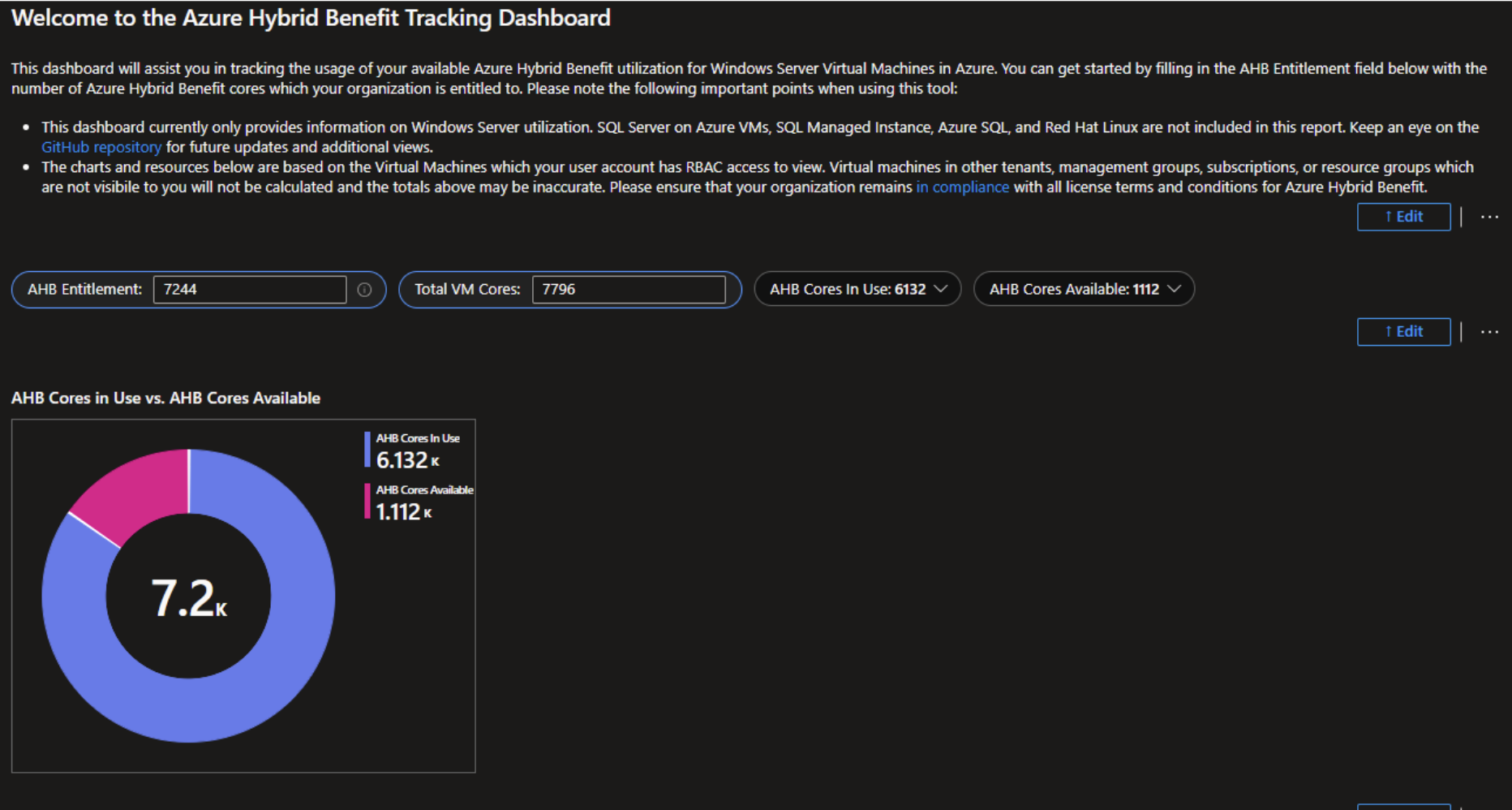
In the example above, I entered 7,244 AHB core entitlements manually. The workbook calculated 6,132 AHB cores currently in use and assigned to servers. It then subtracts usage from entitlement to show how many AHB cores remain available for assignment and optimization.